Along The Trail

Photography By Steve daPonte's avatarPhotography by Steve daPonte

Sometimes there are interesting places that are in the middle of your neighborhood or maybe right in your own backyard.

This little park I found between the Library and the Post Office is for the most part left to fend for itself. A carpet of pine needles blankets the ground and pinecones are left to fall where they may. That is what I like most about this place as most everything else around here is manicured to perfection. But, is not the way of nature in and of itself perfection enough?

 steve_daponte_alongthepath_img2780

The fern-lined path on a cool fall day in Florida provides relief from the constant heat and makes for a pleasant walk. I felt thankful that I did not have to continually wipe the sweat from my face as I looked through the viewfinder.

steve_daponte_alongthepath_img2797

As I walked observing  the nature around me, I slowed down long enough to notice the…

View original post 43 more words
ISO what is it?

In two previous posts Aperture and Shutter Speed we the subjects.

The subject for this post is ISO which is the third factor in controling and setting the desired exposure.

What do the ISO i.e. 50,100,200,400,800 etc. numbers mean?

Back in the days of film you had to choose a film speed ASA Now ISO.  The number indicated the films rated sensitivity to light. Now in Modern Digital Cameras the roll of film has been replaced by a digital CMOS or CCD Sensor. No more need to change a roll of film to change ISO you simply turn a dial 🙂

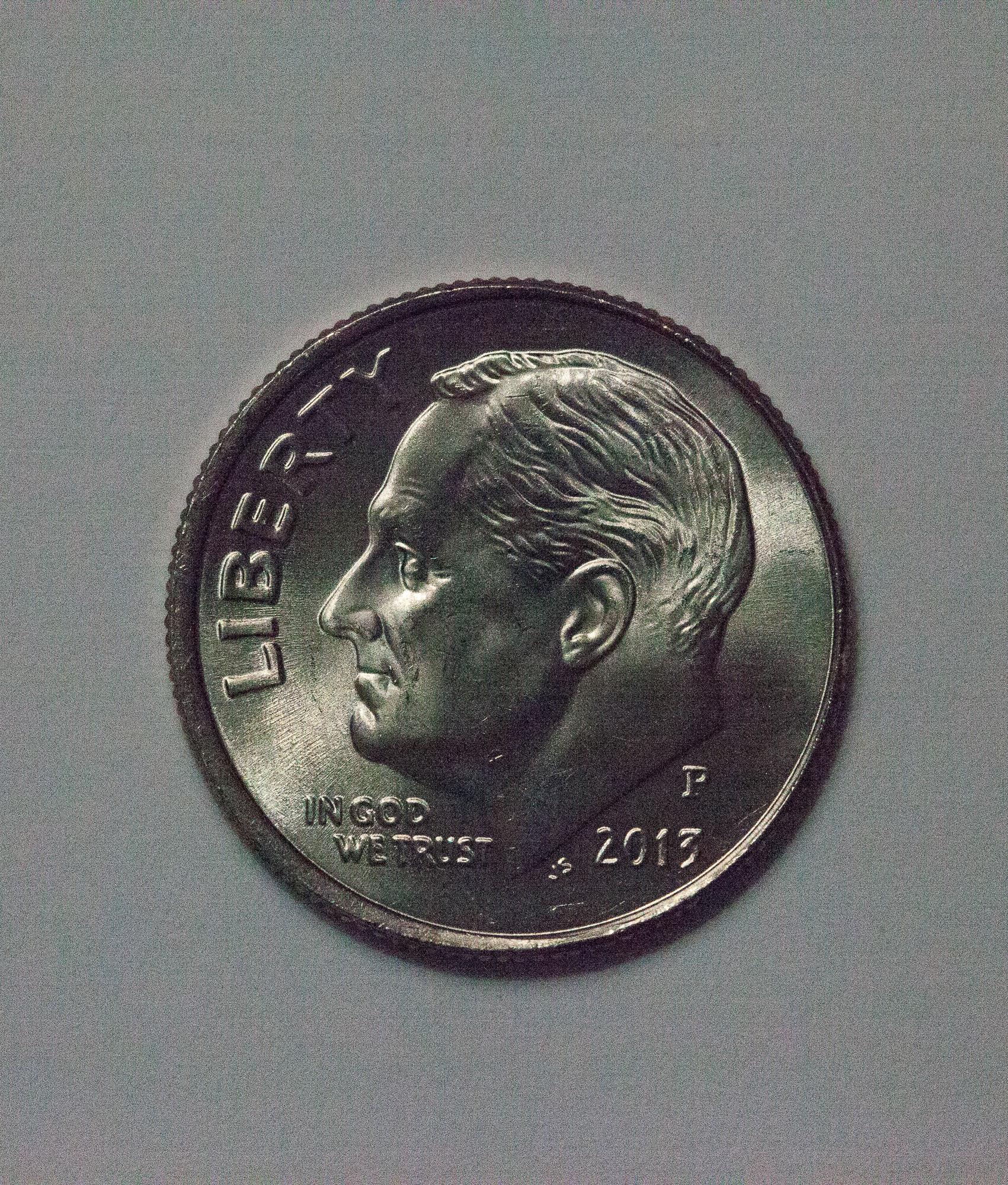
In todays digital camera the ISO number indicates the digital sensors sensitivity to light. The  only drawback is that when you increase the ISO you decrease the image quality. This is due to digital noise created by the electronics involved. You could compare this to a sound system, you turn the volume up and at a certain point you will get distortion.

In digital photos the noise will slowly introduce a grainy look, if you zoom into a photo shot at high ISO like ISO 1000 something else happens to. The photo will start to have purple splotchy color cast to it. This is digital noise.

That is the trade off when using ISO to increase your ability to capture a handheld shot in low light conditions. So you should first try adjusting your aperture before going for the ISO increase or simply use a tripod.

We will discuss more about the relationship of ISO, Shutter Speed and Aperture in the next post about the Exposure Tri-angle.

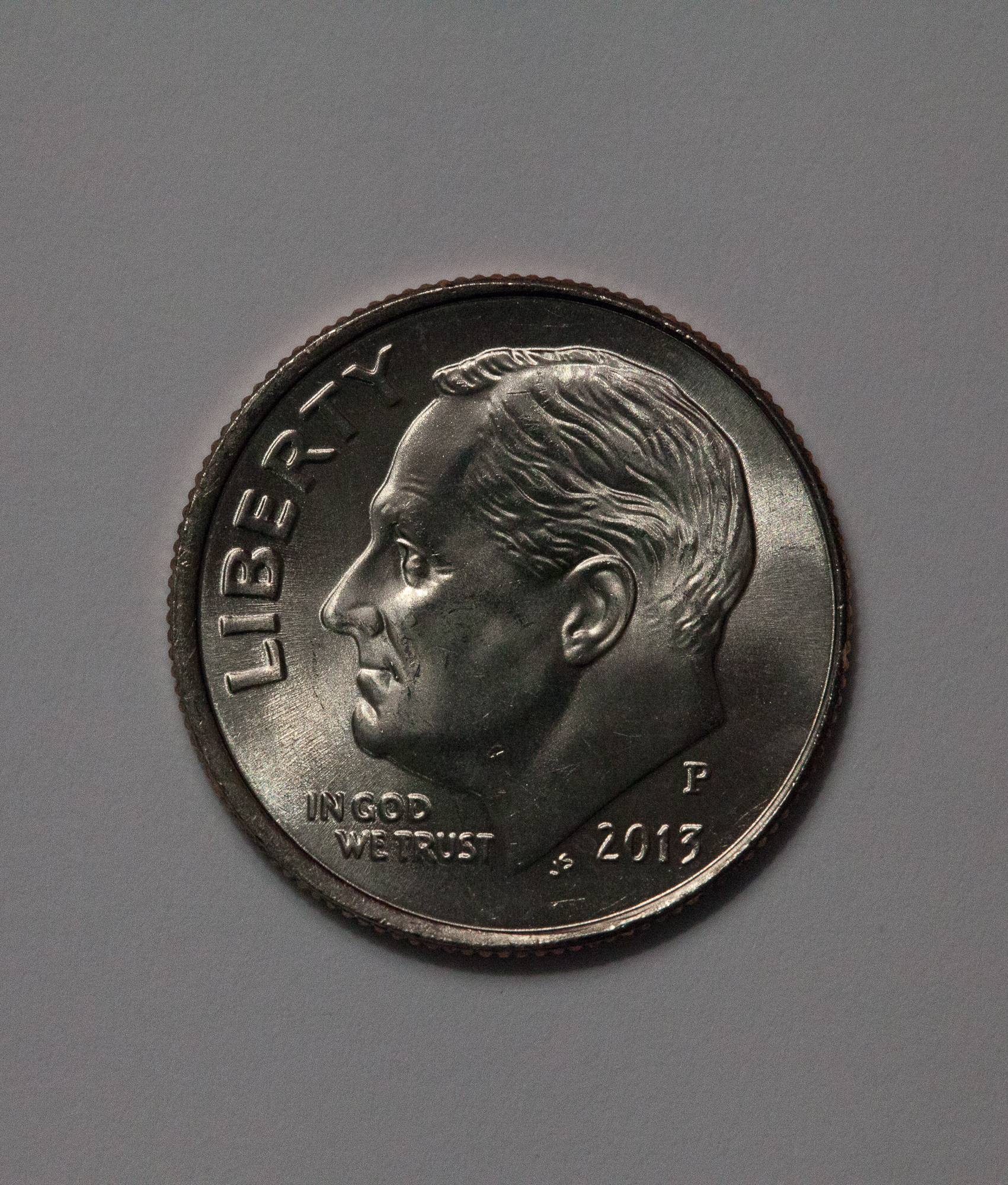
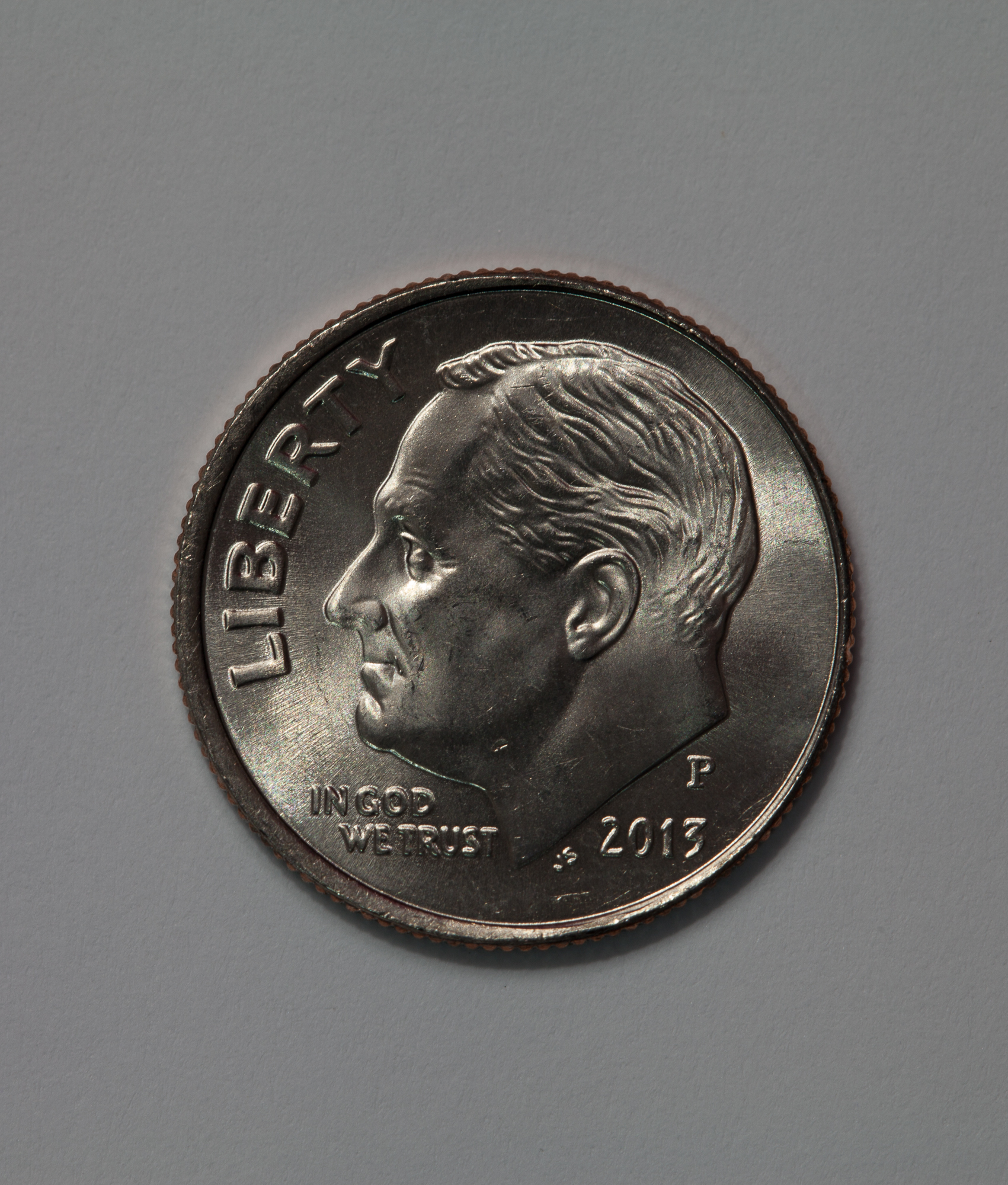
Here image examples one at ISO 50, ISO 6400, ISO 25600 shot with a Canon 5D MII & 100mm F2.8 Macro Lens

ISO 50

ISO 50


ISO 6400

ISO 6400


ISO25600

ISO25600 Grainy and purple/blue cast in the image


HDR- What Is It?

Hello LCC members,

HDR is simply a process of combining exposures, which by the way goes back to the 1850’s and was pioneered by  Gustave Le Gray to balance the exposure in capturing seascapes. Le Gray used one negative for the sky, and another one with a longer exposure for the sea, and combined the two into one picture in positive. Say what! Yep it’s not a new process.

Here is one of Gustave’s photos

Gustave_Le_Gray_-_Brig_upon_the_Water_-_Google_Art_Project

Photo by Gustave Le Gray

The film cameras of days gone by were limited by film sensitivity as are the digital camera sensor of today which only have about 9.5-16stops of range and our eyes have about 20.

Fast forward to the modern day, our cameras are digital and the darkroom computer software which now makes it easier than ever to process our photos. The possibilities for creativity are endless and only limited by your imagination.

Much of the debate and misunderstanding about HDR photography comes from what I call creative processing. You know, images that look cartoony and over saturated. But you know what, that’s ok and it is the photographers creative choice and right to do whatever they want.

How does it work?

Well first you will need software to process the images, choices in HDR software are many Photomatix, NIK and Adobe Photoshop are but a few of the choices. I myself use Photomatix Pro to process my HDR sequences.

NOTE:

Before I explain further I suggest you have your camera and manual ready just in case you are not sure how to set your camera to shoot bracketed photos. This is key to image capture for use as an HDR photo sequence.

After consulting your manual you know how to set bracketing and your ready to run thru the example below.

Image Capture- Example of settings for a wide landscape/seascape shot.
  1. Put your camera on a tripod, “yes I know I have a love hate relationship with my tripod to” but it is key to shooting a successful sequence.
  2. Next make sure you have a remote or know how to set your cameras self-timer.
  3. Set your camera Mode to Aperture Priority Mode. The symbol on most camera dials is “AV” or “AP” and dial in the appropriate aperture.
  4. Set your cameras Exposure to Bracket -2, 0 and +2 if your camera can do more than 3 that’s great then you can set it at -2,-1,0,+1 and +2 or what ever spacing you desire.
  5. Set your Focus to manual focus and turn off the Image Stabilizer.
  6. Setting your Focus, If your lens has a scale built in indicated Meters/Feet set it to 1-Meter or 3-Feet if it does not pick something in the foreground of your composition about 3-feet away and lock your focus on that area.
  7. Set your Aperture to F16, F22 or the highest your camera/lens combo will allow. The Aperture setting will also depend on the quality of your lens. You will have to experiment to find the setting that yields the sharpest results.
  8. Compose your photo and fire away 🙂

I will give an example of processing with Photomatix Pro in a future video post.

Here are a couple examples of photos I shot on the St. Bernards field trip last week.