Hello LCC members,
Our Photo Assignment is Landscapes & Scenics
PLEASE SUBMIT 6-10 TO jefforns@comcast.net BY SUNDAY NIGHT, MAY 6
ALL SUBMITTALS MUST BE ATTACHED FILES, 72 DPI RESOLUTION WITH THE LONG SIDE AT 1200 PIXELS.

Hello LCC members,
Our Photo Assignment is Landscapes & Scenics
PLEASE SUBMIT 6-10 TO jefforns@comcast.net BY SUNDAY NIGHT, MAY 6
ALL SUBMITTALS MUST BE ATTACHED FILES, 72 DPI RESOLUTION WITH THE LONG SIDE AT 1200 PIXELS.
Hello LCC Members,
The next session will be: April 25, 2018 AT 6:00 PM at the North Palm Beach Library
This session will cover the following:
Bring your camera and if you have a Laptop computer with ON1 software bring it as well.
Lighthouse Camera Club Members get a discount on Photo Raw 2018 use Code ONONE15 at cart checkout
Class Fee
Lighthouse Camera Club Members: No Charge
Non-Members: $20.00 (Includes 2018 club membership) Please RSVP seats are limited.
Feel free to contact me with any questions lighthousecameraclub@gmail.com
Steve daPonte
OUR NEXT MONTHLY MEETING WILL BE TUESDAY, MAY 8, 6:00 SHARP, AT THE NORTH PALM BEACH LIBRARY!
OUR PROGRAM AND GUEST SPEAKER WILL BE OUR OWN DARYL GRABER WHO WILL GIVE A PROGRAM ON THEIR TRIP TO CHILE.
OUR CLUB EISSEY THEATER EXHIBIT IS UP AND GETTING RAVE REVIEWS…………GO ON BY AND ENJOY THE 38 PIECES………….IT WILL BE HANGING UNTIL APRIL 29!
OUR NEXT MONTHLY MEETING WILL BE THIS TUESDAY, APRIL 10, 6:00 SHARP, AT THE NORTH PALM BEACH LIBRARY!
THE MONTHLY ASSIGNMENT IS ‘LEADING LINES’; PLEASE SUBMIT 5-8 IMAGES TO JEFF BY SUNDAY NIGHT, APRIL 8
ALL SUBMITTALS MUST BE ATTACHED FILES, 72 DPI RESOLUTION WITH THE LONG SIDE AT 1200 PIXELS.
OUR PROGRAM AND GUEST SPEAKER WILL BE DON HAMILTON, WHO GAVE US A PREVIOUS SPECTACULAR PROGRAM….THIS TIME IT WILL BE ON NATURE AND WILDLIFE PHOTOGRAPHY, WE WILL START THE MEETING PROMPTLY AT 6:00 AS DON WILL NEED A FULL HOUR! DON’T MISS IT!
Hello LCC members,
Here is a great website about composition that I found and would like to share with you. It was put together by Ted Forbes with also has a regular video series The Art of Photography and a series about various artists
Here is the website about Composition Study
Thanks,
Steve daPonte
Hello LCC members,
Last night we had about 25 members in attendance for the introduction to some of the features in On1 Photo Raw 2018. We demonstrated Exporting and touched on the Develop Module.
In the next session scheduled for Wed April 25 at 6pm we will have a short recap of last session. Then we will dive a little deeper into the Develop Module, Targeted Adjustments, Adjustment Masks and if time allows jump into the Effects Module.
If you have a laptop computer with ON1 installed you can bring it and follow along.
There will be a sign up sheet presented at the April 10 general club meeting.
Here is another before and after example all processing was done in the Develop and Effects Module. I replaced a sky without using the Layers Module.

RAW Photo before processing
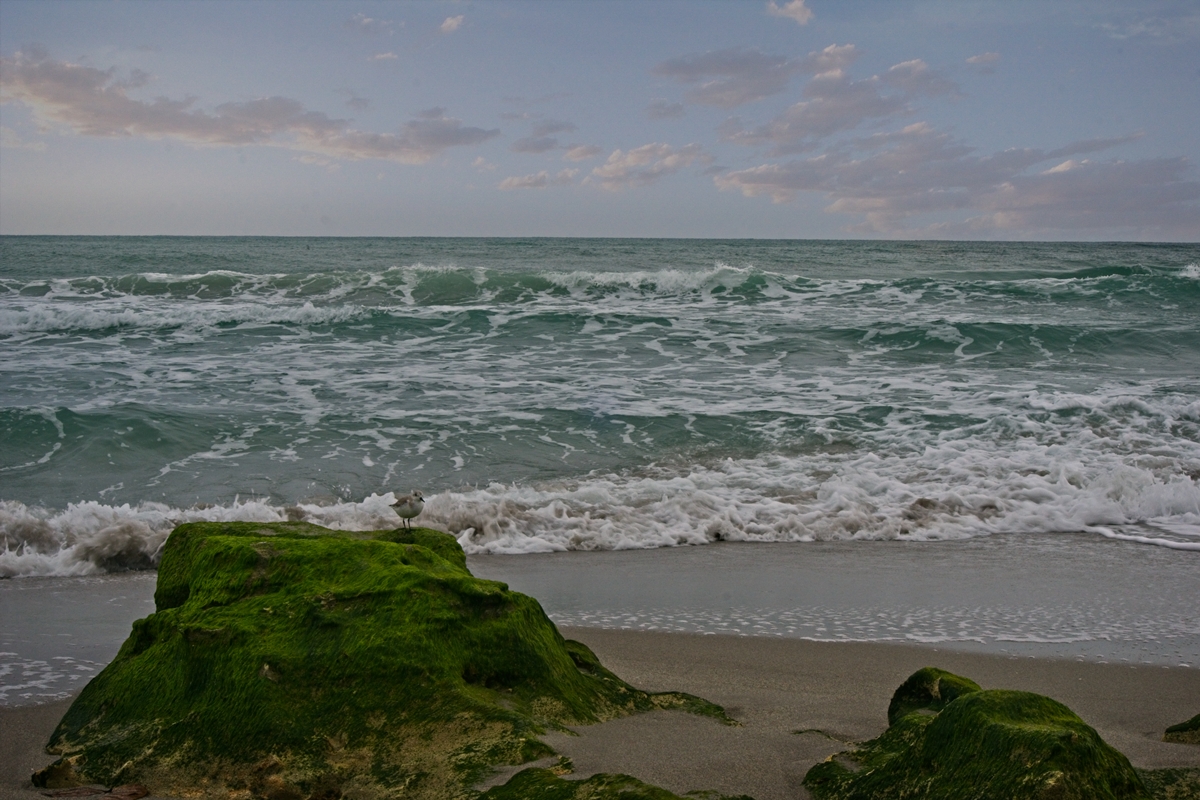
Photo after processing in ON1
If you have questions they can be e-mailed to lighthousecameraclub@gmail.com
Thanks,
Steve daPonte
Hello LCC members,
The third session will be March 28, 2018 AT 6:00 PM
This class will cover the following:
Bring your camera!!!!!
There was a signup sheet presented at the March club meeting and so far we have 12 signed up!
Class Fee
Lighthouse Camera Club Members: No Charge
Non-Members: $20.00 (Includes 2018 club membership) Please RSVP seats are limited.
Feel free to contact me with any questions lighthousecameraclub@gmail.com
Steve daPonte
Hello LCC members,
For April the photo assignment is leading lines. Not sure what a photo with Leading Lines is? Here is the definition.
Leading lines refers to a composition technique whereby the viewer’s eye is attracted to lines that lead directly to the principle subject in the image.
Article and Examples Lead Lines
Hello LCC members,
Several members have been asking about On1 Photo Raw 2018 and have requested a before and after image example.
Here we go!
This is the RAW capture Meta Data.
What is Meta Data? Meta Data is the cameras recorded settings at time of image capture and looks like this.

The Meta data important stuff is toward the bottom of this panel which shows. Exposure 0.3sec at f29 Focal, length 20mm, ISO 50, Flash Did not fire, Canon 5D Mark II, Sigma 12-24mm
NOTE: What the meta data does not show is the focus information which is: Manual Focus set to 1meter (3-Feet) which is how 99% of all my wide-angle landscape/seascape photo are captured. On a trip-pod of course.
Here is the Straight Outta Camera raw Image.

Here are the post processing steps I used in ON1 PhotoRaw 2018
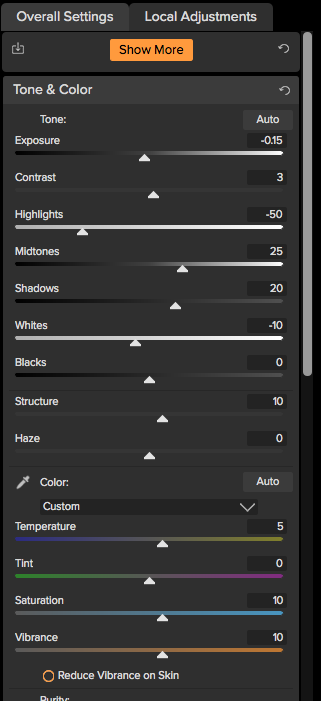
First step was to open the image in the Develop Module and make the adjustments as indicated in the screen shot above.
Next step was to move to the Effects Module making the list of adjustments below.

Haze Reduction
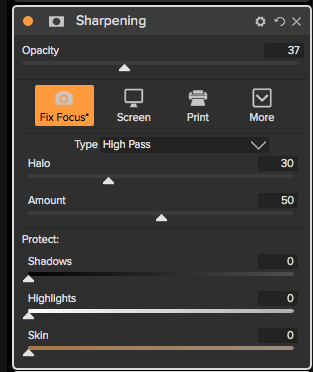
Sharpened slightly with the Fix Focus Preset
Next were a couple of color adjustments

Fall Preset to warm the image up a bit and bring out the yellow and orange tones.

Sky preset to bring out the blue in the sky
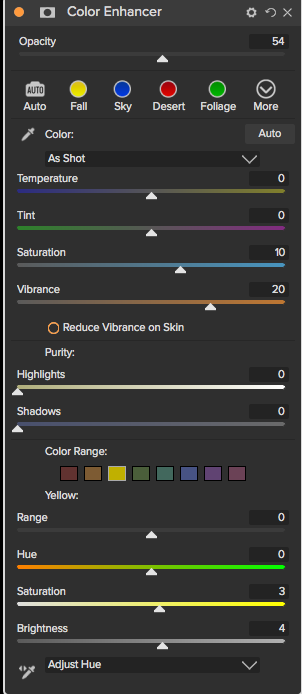
Increase Color preset to increase overall image colors

Tone Enhancer with Clarity Preset as you can see by the opacity slider this was a very small adjustment. You have to be careful with this adjustment because Tone Enhancer is in short a Contrast adjustment. If you add too much run the risk of making the image will actually loose some clarity.

Final adjustment was to bring up the light on the beach. The HDR Look panel does a great job with this. I used the Natural Preset and only lightly applied it. If you use too much you run the risk of glow and halo around clouds and other objects in an image. But, heck you may want that look and that is ok to. Remember you are the artist and your photo is an expression of your vision.
In the final steps I used the Eraser Tool to remove sensor dust and unwanted whispy clouds that I felt were a distraction.
Then I cropped a very small portion off the top and straitend the horizon line.
Here is the final image

Here is the before and after side by side.


If you have questions or comments let me know.
Steve
Hello Lighthouse Camera Club Members.
On Wed March 28 at 6pm at the North Palm Beach Library Steve will do a demo of ON1 Software and the powerful features within ON1 Photo Raw 2018.
If your interested in getting ON1 LCC members get 15% off the purchase of ON1 Photo Raw 2018.
Use code: ONONE15 when you check out.
https://www.on1.com/products/photo-raw/
Here is a before and after example using ON1 Photo Raw 2018

This is the image Raw photo straight out of camera Before post processing.
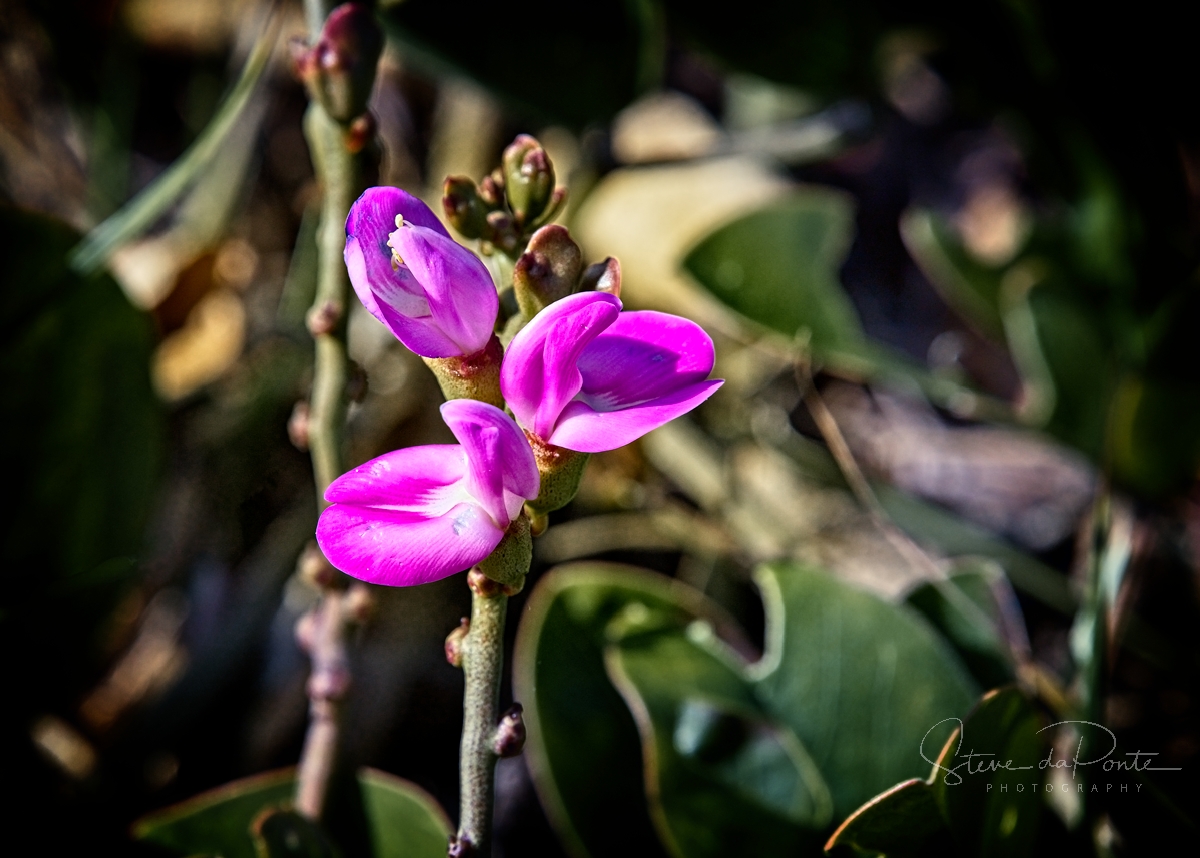
Photo After processing in ON1 Photo Raw 2018. All adjustments were done using the Develop and Effects module.
Here are what the adjustment panels looked like.

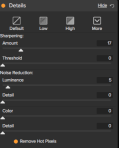


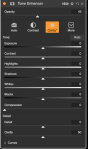


If you have any questions let me know?
lighthousecameraclub@gmail.com
Thanks,
Steve daPonte
 Lighthouse Camera Club