LCC Photo Contest THE NEW CLUB LOGO!

THE NEW CLUB LOGO!

Send your best photos of the Jupiter Lighthouse!

Time is running out to send in your images!!!!

The photos should be tight shots of the Jupiter Lighthouse as this is for a new Logo that will be used on the website and in print for publications.

EACH MEMBER CAN SUBMIT UP TO 2 IMAGES, THE USUAL 72 dpi WITH THE LONG SIDE AT 1200 PIXELS.

EMAIL YOUR IMAGES TO jefforns@comcast.net BY TUESDAY SEPTEMBER 12

THE BOARD WILL SELECT 10 IMAGES TO BE VOTED ON BY THE MEMBERSHIP. THE BOARD WILL MEET ON THURSDAY SEPTEMBER 19 AND JEFF WILL SEND THE TEN SELECTED IMAGES TO THE MEMBERSHIP BY SATURDAY, SEPTEMBER 21. VOTING WILL BE CONCLUDED BY SATURDAY, SEPTEMBER 30. TO VOTE YOU JUST EMAIL ME YOUR WINNER OR GO TO THE WEBSITE AND CAST YOUR VOTE!

THE WINNER WILL BE ANNOUNCED AT THE OCTOBER MEETING,TUESDAY THE 10th. THE WINNER WILL GET A $25.00 GIFT CARD!

Quick Lightroom Tip For Image Export

Hi LCC members,

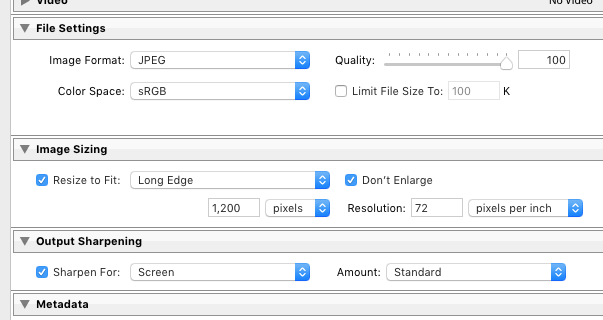
The images for the monthly theme slide shows much be sent sized as 1200px on the long side and 72DPI

I also highly suggest when you post your images online this size should also be used.

Here is a screen shot of the Lightroom export panel with the proper size settings.

If you have more questions please leave them in the comment field below.

Thanks,

Steve

August Meeting Info

Hi LCC Members,

Reminder on Tuesday August 8, we will have our first meeting at the North Palm Beach Library. At 6:00 pm social meet and greet and the meeting will start at 6:30 PM

Our August presentation will be William Leonard. He has been to our club before. William will do a presentation on architectural photography.   Feel free to google him and check out his website !

The Library is located at:  303 Anchorage Drive, North Palm Beach

GOOGLE MAP LINK
on the west side of U.S. 1, just north of Northlake Boulevard. There is a lot of parking and the building is handicap accessible.


This months theme is REFLECTIONS

Please note: 

The theme photo submissions should be images shot in 2017 as these are photo assignments. The only exception is when the theme is photographers choice.

The theme images should be e-mailed to Jeff no later than Sunday August 6

All images MUST be submitted as attached jpeg files (not embedded in the email), at 72 dpi, with the long side not exceeding 1200 pixels. If you need help with sending images please ask and someone will reach out to help you.


Call To Artists – Art 4 Apes

Hi LCC Members,

I received this note this morning.

Dear Organizer

I am writing to let you know about the ENDANGERED Art & Photography Contest 2017. We are keen to encourage more entries in the Fine Art Photography category, which offers $3,250 in prize money. I would be pleased to attach a Call to Artists if you feel it would be appropriate to let your members know about the contest.

The challenge is to interpret or reflect ENDANGERED through either:

Celebration of the beauty of endangered or threatened species/habitats
or
Illustration of the threats facing endangered species/habitats
Please note – species do not have to be formally listed as endangered in order to be eligible for this contest as long as an element of threat exists.

The rules of the contest are available, in full, on our website Art4Apes.com but I would like to make clear that copyright remains with the artist and we do not use the submitted images for any purpose without the permission of the artist or photographer. We do post the images on social media, but always with the name, title and All Rights Reserved.

We run this contest to benefit the Center for Great Apes, a Florida based 501(c)(3) registered sanctuary for abused and neglected orangutans and chimpanzees.

I would be happy to answer any questions you may have and would be so grateful if you could help us spread the word about the contest.

Kind regards

Yours sincerely

Lindsey

Dr Lindsey Matheson
Founder & Curator, ENDANGERED: Art for Apes

Lighthouse Camera Club on Instagram

Hi LCC members,

I have started an Instagram for the club if your on Instagram use Hashtag #lighthousecameraclub direct message @lighthousecameraclub

The August meeting will be at our new meeting location.

!!! INFO FOR THE NEW MEETING LOCATION !!!

The North Palm Beach Library Second Tuesday of the Month
Starting on Tuesday, August 8th doors open at 6:00 for meet and greet,  meetings will officially start at 6:30 and end at 8:30-8:45 and we can get in the Library at 6:00 for a half hour of Meet & Greet!

Why Post Process? Part 3

Hello LCC members,

If you missed  Part 1 This is the link

If you missed Part 2 This is the link

In this post I will show an example of using bracketed photos to create a HDR image.

I know, you may be saying HDR looks awful there is a glow around the edges and the colors look like a cartoon.

Yes, it can look that way if that is what the photographers artistic intentions are and that’s ok. I myself do not like my images to look like a cartoon but keep an open mind when viewing others work.

The first step is to set your camera to aperture priority there a post here aperture priority.

The second step set your camera to bracket exposure if you do not know how to you will need to consult your camera manual. Photomatix Pro suggests a bracket of 3 shots spaced at -2 0 +2

But, if your are using a camera that supports 1/3 Stop increments. I suggest between 5 and 9 shots spaced 1/3 stops apart.

Yes, by all means shoot in RAW not JPG

With your camera on a tripod shoot away.

Heres an example that is 5 shots spaced 1/3 stop ( -2/3 -1/3  0  +1/3  +2/3 )

Click on the gallery below ↓ to view the images larger.


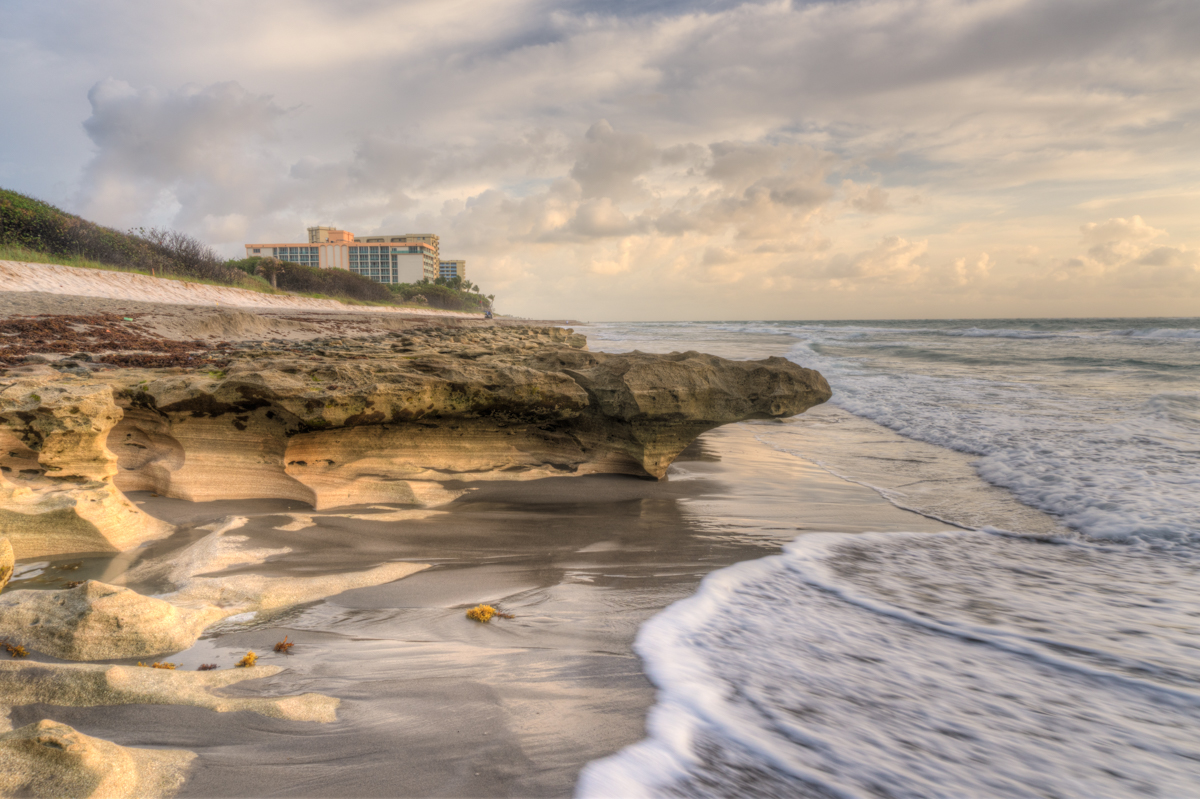
Below ↓ is the result out of Photomatix Pro

No other adjustment have been made yet other than blending the exposures with Photomatix Pro.


Below  ↓ is the result out of Aurora HDR
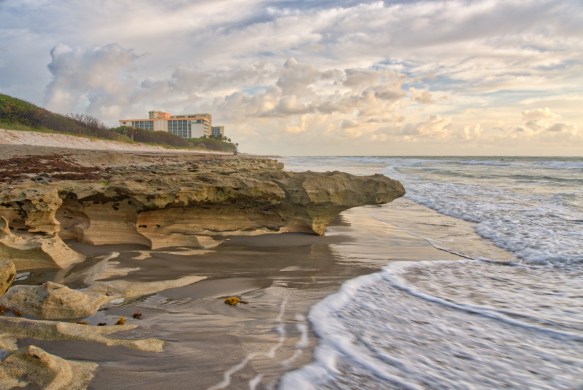
In this image look at the foamy tide line  front of image center. Aurora did not do as good a job de-ghosting the image. This is why there are two partial foamy lines in front of the main one.


I decided to use the image blended by Photomatix Pro in this case because of little to no ghosting.

I then sent the image to ON1 Raw and used the effects module.

Below ↓ is the result out of ON1 Raw

The Effects used were Dynamic Contrast, Sharpening, Clarity and a small touch of Grunge.

If any members are interested in a class or a demo of post processing please let me or one of the other club board members know.

Steve

Comments or questions please leave them below.

 

Why Post Process? Part 2

Hello LCC members,

Here is Part 2 if you did not see Part 1 here’s the link

In this post I will show you examples of my workflow with short explanations.

To start off here is a RAW image Straight Outta Camera “SOC”

Technical Info, for those that need to know : Camera Sony A6500 ISO 100, 16mm , f22, 1/8 sec Handheld, Low Perspective


The first thing I did to the image was straighten and crop it.

The image is still in RAW some photographers like to do the crop and straighten as a last step but you can do this in any order you want to there are no rules. This is your art and vision for your image.


Next step is to use either Lightroom or other software to process the RAW photo.

TIP: Camera manufacturers typically bundle software to process RAW files. It was in the box with the manual either a DVD or a link to the website in the manual to download software.

The software I used on this photo was ON1 Photo RAW 2017

Here is the photo after processing

In On1 Effects I used the following Dynamic Contrast, Sharpen, Clarity and Color


Heres the Before and After

If you have any questions or would like the club to have a class on this or other post processing software let us know.

In my next post I will show examples using HDR techniques and will explain it from start to finish.

Steve